
Quickstart Guide#
The Swiss-AL Platform provides tools that allow users to analyze how language is used in Swiss public communication. For instance, you can inspect how the frequency of a particular word has changed over time, in which contexts it usually appears, and in which major topics it typically occurs.
The Swiss-AL Platform contains contemporary journalistic, parliamentary, organizational, and other project-specific corpora. It can be used free of charge for research and teaching purposes.
In a nutshell
Open the workspace and log in with your Switch edu-ID.
Select an existing project or create a new one.
Select a corpus, or create a subcorpus.
Select an analysis tool and start your analysis.
The workspace#
The platform is organized as a workspace. Projects, corpora, and analysis modes are selected on the left; the analysis area itself is in the centre. Clicking an analysis mode opens a new tab, much like a browser, so you can keep several analyses side by side. The top right corner gives you access to the documentation, learning material, this guide, the landing page, and your user account.

Fig. 1 The workspace on the Swiss-AL Platform.#
Getting started#
Two things determine what you can access: whether you are logged in, and whether you have a project. Without an account you can open the Demo Corpora only. Full access to all corpora requires a Switch edu-ID and a project of your own.
Log in with your Switch edu-ID#
Full access to the platform requires a Switch edu-ID. Most Swiss universities issue one; you can also register yourself.
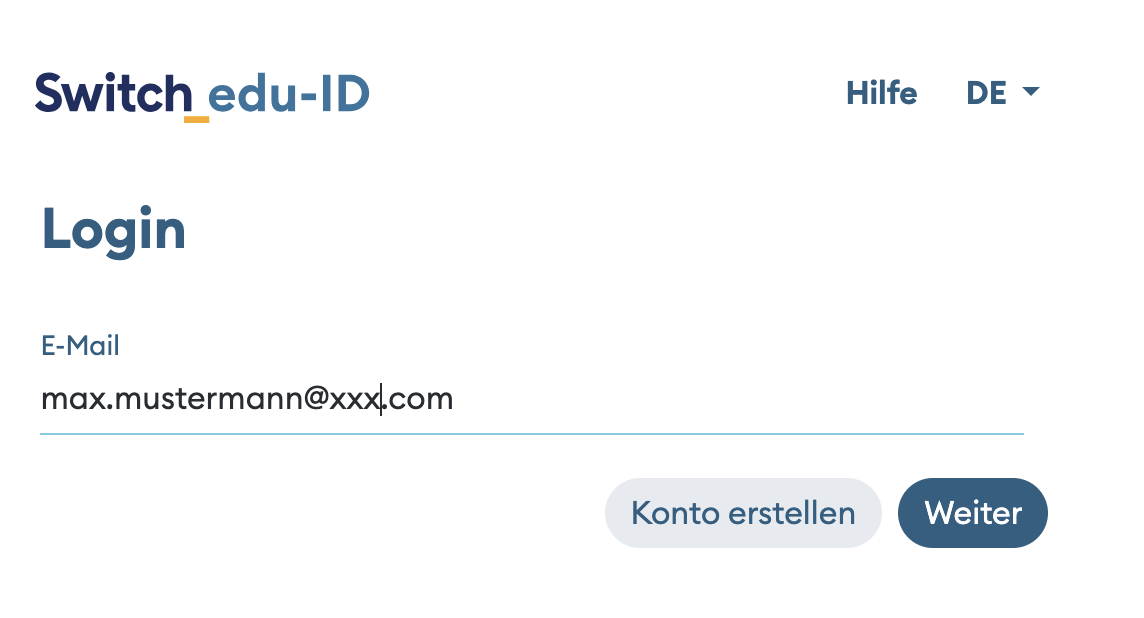
Fig. 2 Logging in with a Switch edu-ID.#
Note
Please read the Swiss-AL Terms of Use before you begin.
Create a project#
A project groups your corpora and analyses under a shared research question. In the workspace, open the Current Project section in the top left, click Switch, then choose Create new project. Projects can also be created and edited from your user account.
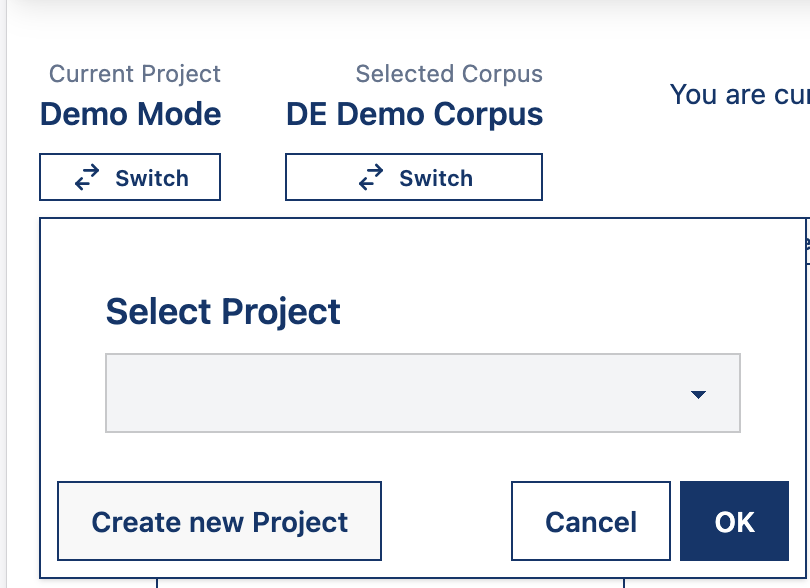
Fig. 3 Selecting or creating a project.#
Enter the project information#
Fill in the project details and click Submit.
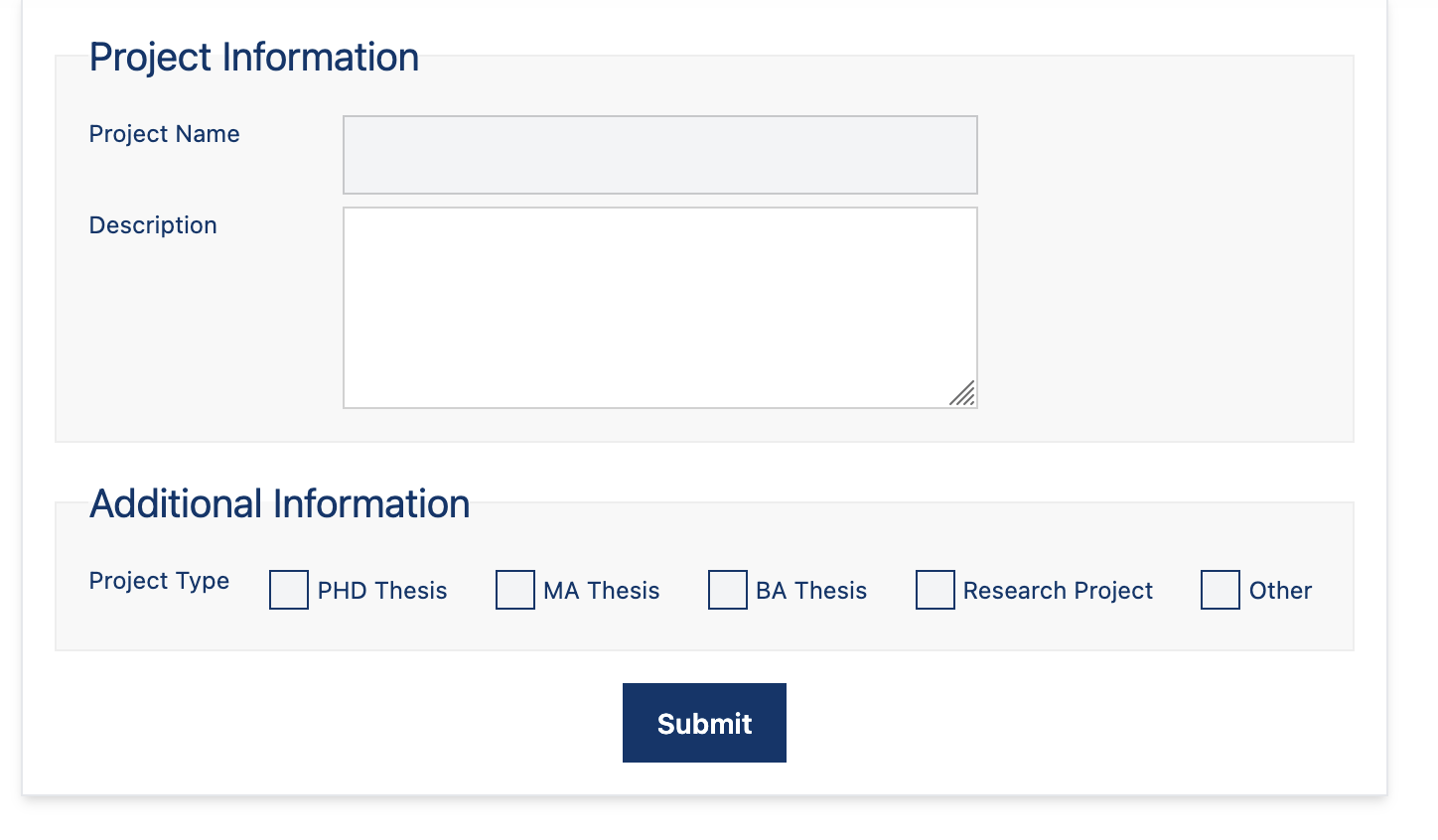
Fig. 4 Filling out the project information.#
Select your project#
Once created, the project can be selected from the same menu in your workspace.
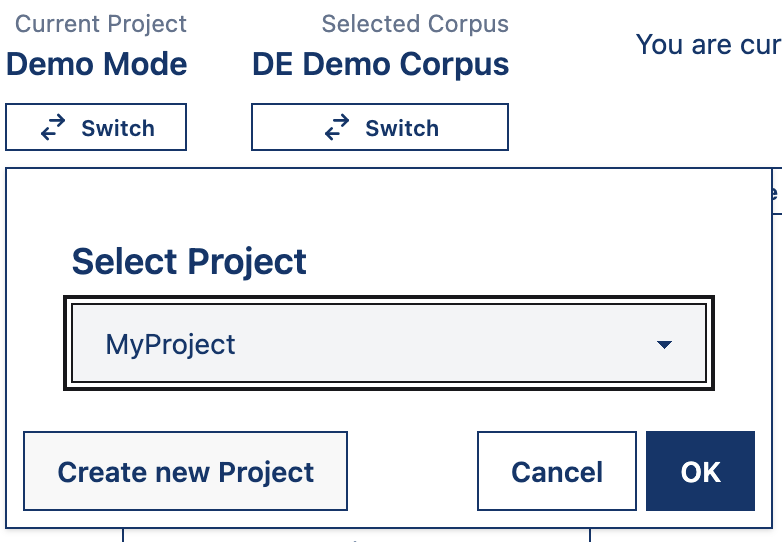
Fig. 5 Selecting a project.#
Select a corpus#
With a project active, choose a corpus to work with. A corpus is a structured collection of texts — for example a set of newspaper articles or parliamentary debates — that the analysis tools operate on.
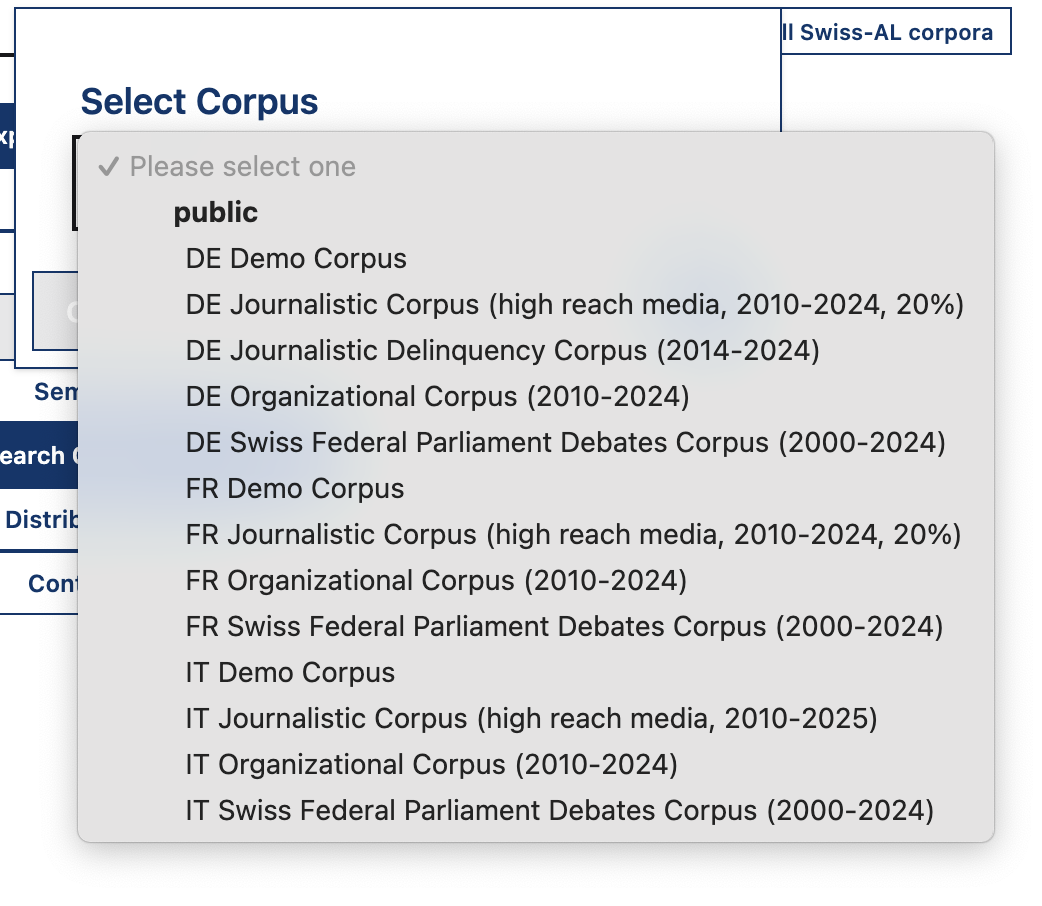
Fig. 6 Selecting a corpus.#
Select an analysis tool#
Finally, pick a tool to explore and search your corpus.
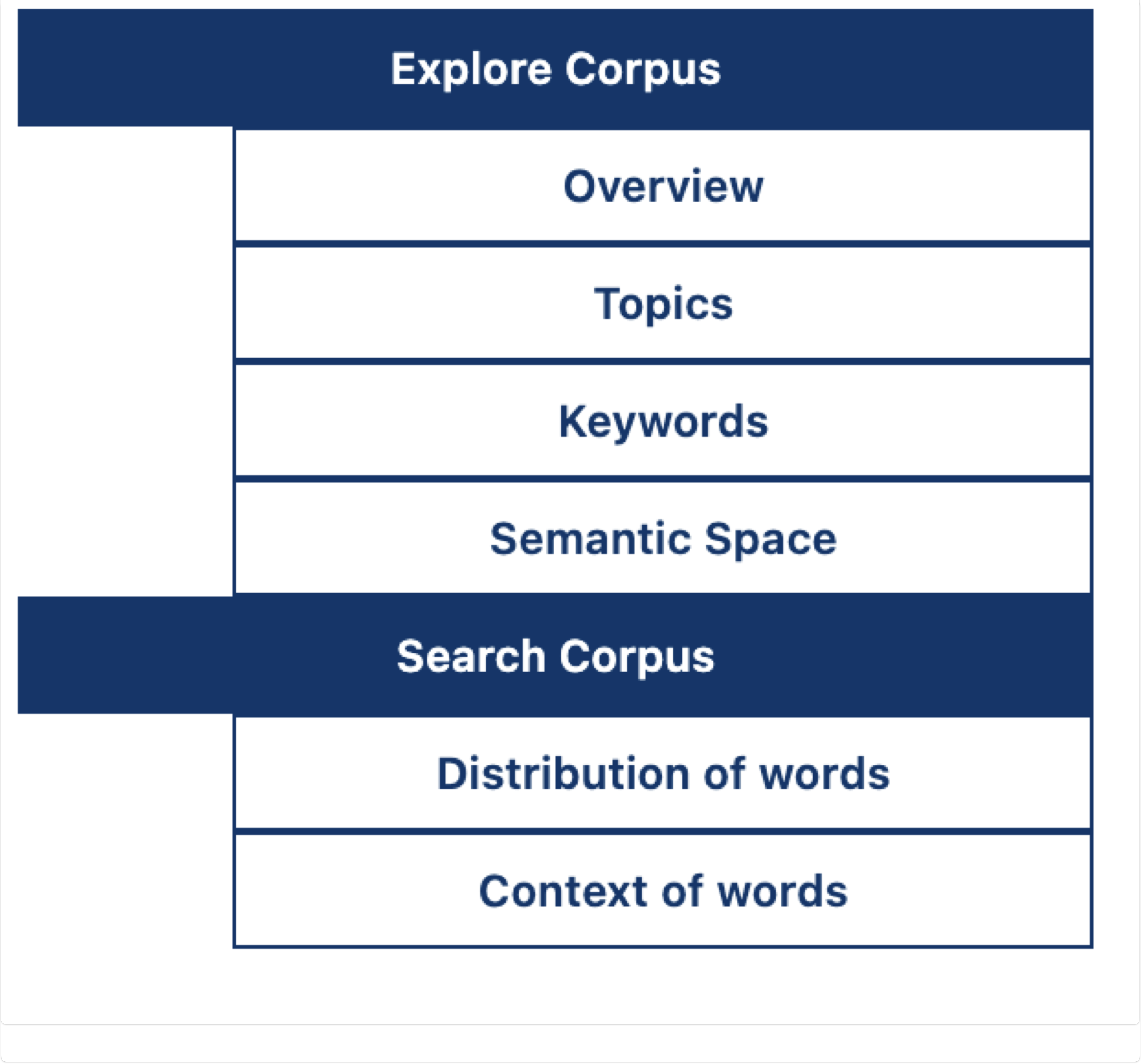
Fig. 7 Selecting a tool for analysis.#